Western Digital External Hard Drive Recovery

Aug. 20, 2013 6:48 pm / Updated by Bobby Hills to Computer Tips
Follow @BobbyHills
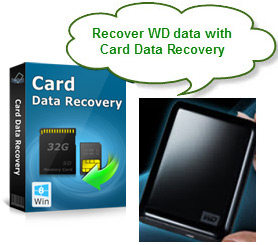 Lost data when you eject or power off WD external hard drive improperly? How do you recover data on your external drive? Mistakenly formatted or reformatted Western digital portal hard drive without backup? You must feel at a loss and looking desperately for an efficient way to do Western Digital data recovery.
Take a breath! A small and easy-to-use data recovery program could solve all your problems. Card Data Recovery for Windows is the program that I recommend, a versatile data recovery program that allows deeply scan of the deleted, lost or formatted data with signature algorithm and retrieve them immediately. It supports data recovery for all brands including My Passport Ultra, My Passport Slim, Elements Portable, My Passport Essential, My Book Studio, My Book Home, Passport Portable, etc. It also has a Mac version Card Data Recovery for Mac.
The commonest scenario about losing data in WD external hard drive
 1. Deleted important files while connect it to PC;
2. Mistakenly formatted or reformatted WD external hard drive without backup;
3. Eject or power off WD drive improperly to cause data corruption in it;
4. The drive was inaccessible on account of virus attack;
5. Partition lost from Western digital portable hard drive or some partition errors;
6. Error message like "the disk in drive is not formatted, do you want to format it now?" occurs.
Let's do it together and see how to use Card Data Recovery which is data recovery software for my passport data recovery. To undelete western digital files external drive you need first download the program to your computer.
Free Download Card Data Recovery:
How to do WD external hard drive data recovery on Windows
Step1. Connect the external hard drive to PC with a USB cable. Run Card Data Recovery on your computer and click "Start", and you will see your Western Digital hard drive appears in the "Removable device" on the left.
Step2. Select "Standard Mode" or "Advanced Mode", and then select file types (and file formats). Click "Scan".
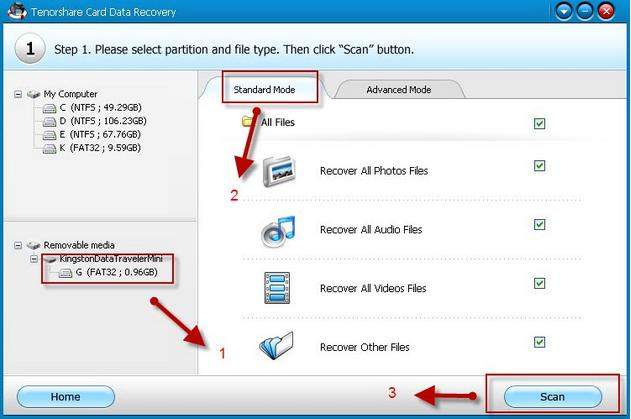
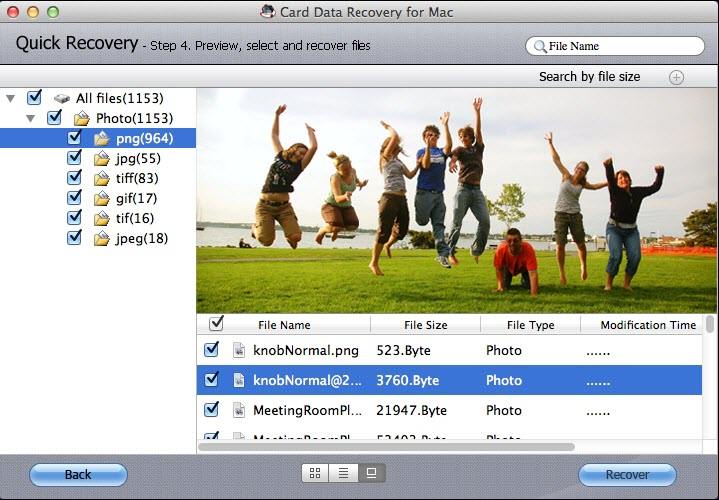
Step3. Preview and select the files you want to recover. Then click "Recover" to retrieve lost data for Western Digital.
How to recover data for Western Digital on Mac OS X
If you are using Mac you could just download Card Data Recovery for Mac. Refer to this guide how to learn how to recover data from Western Digital Hard Drive on Mac.
Get Card Data Recovery Now
Related Articles
- Top 4 Ways to Recover Data from Hard Drive
- How to recover data from Maxtor hard drive
- How to Recover Data from Seagate External Hard Drive?
comments powered by Disqus
Recommend Product
 |
Card Data Recovery User Reviews ( 12 ) $29.95 |
Best Card Data Recovery Solution -- Recover deleted or missing pictures, videos, music, Word documents, PDF files, etc.
Hot Articles
Social Connection
 Follow us on facebook
 Follow us on Twitter
 Feel free to