Encoutered Sim Card Errors? Recover Deleted SMS from Sim Card

Aug. 17, 2013 10:09 pm / Updated by Bobby Hills to Card Tips
Follow @BobbyHills
Encountered Sim Card Errors and can't Access Contacts, Text Messages in It
Lost important contacts or text messages on your SIM card?. It's really frustrating since there are so many important contacts we can't afford to lose. We include SIM data recovery solutions, as well as some common SIM errors & solutions below.
Option 1. How to Recover Contacts, SMS, Photos from SIM Card and SD Card?
Android Data Recovery Pro is one of the most recommended data recovery tool for Android users. It can recover contacts, photos, text messages, call history from both SIM Card and SD card on your phone. Supported Mobile phone including: Samsung, HTC, Sony, Motorola, LG etc. 100% recovery rate!
- 1. Download this Android Data Recovery and install it on your Windows PC (For Mac users, you could download Android Data Recovery for Mac).
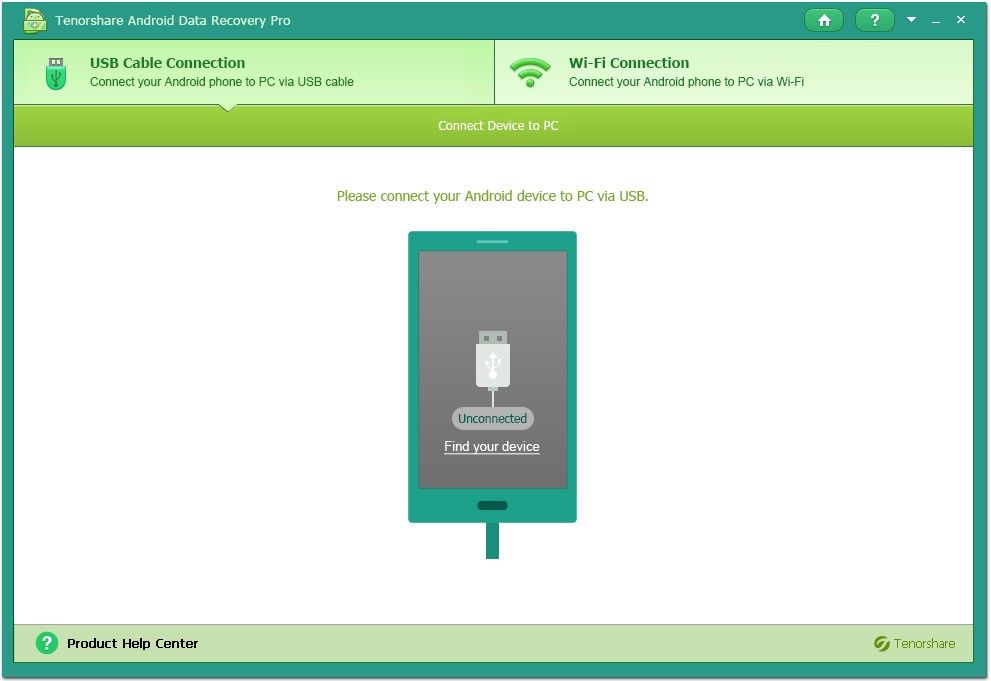
- 2. Connect your phone with a USB cable or via Wi-Fi.
- 3. Select a recovery mode: Quick Recover (time-saving) or Deep Recovery (Thorough scanning).
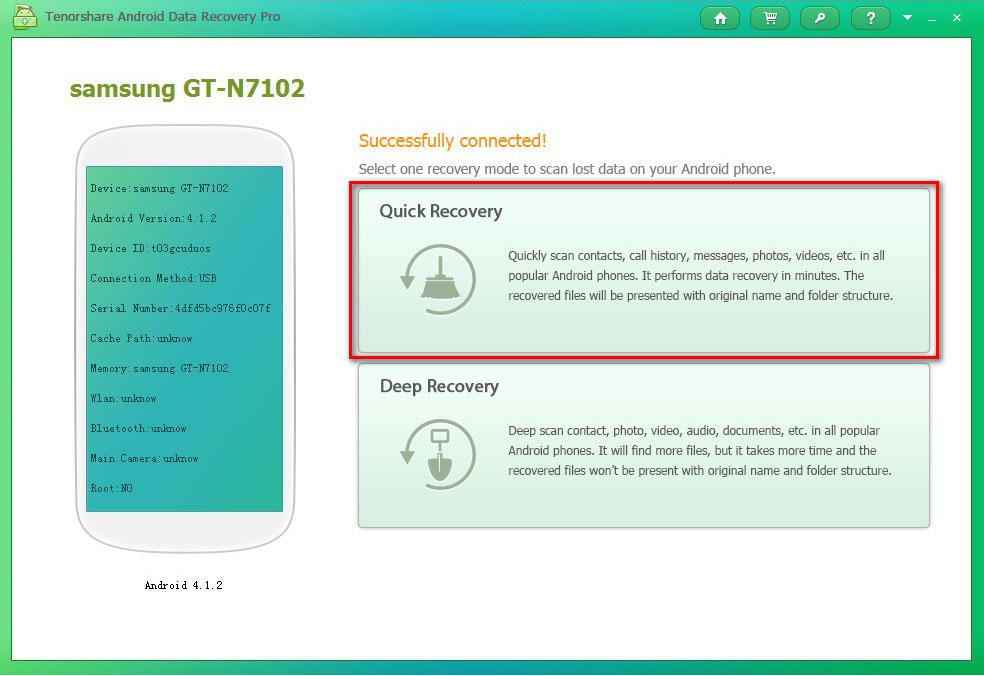
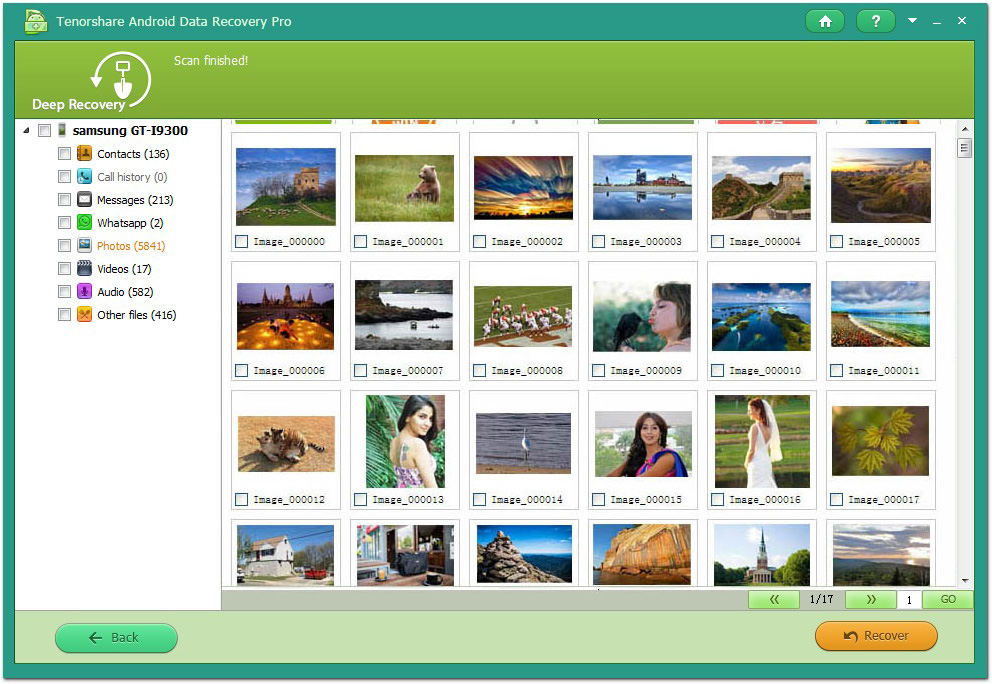
- 4. When the scanning finishes, Click the category to preview items in it. And check what you want to restore for your phone.
- 1. Take out the SIM and test it with another phone, if the phone fails to read the SIM, just change another SIM card.
- 2. Take out the battery and SIM card. Use a clean eraser to wipe the gold contacts of the phone and on back the SIM card. Replace the SIM and make sure it's firmly held in place.
- 3. Despite all your efforts, the phone refuses to work then try to the phone repaired or replaced. Some users found that the cell phone firmware upgrade tends to fix this issue.
- 1. Remove Sim card from your phone.
- 2. Look for any water, dirt or grime that may have gotten into the phone or on the SIM card. Use a soft cloth to gently wipe the SIM card, the battery and the area around the SIM card compartment. Make sure to use a fine cloth that will not tear or catch on circuitry and other metal parts.
- 3. Put Sim card back to your phone, and turn the phone on, if the SIM card has been cleaned and properly placed back into the phone, it should function properly.
- 4. Contact your cell phone service provider if the SIM card is still rejected. You may need to replace it.
Free Download Android Data Recovery Pro:
Option 2. How to Recover Text Messages and Contacts from Sim Card?
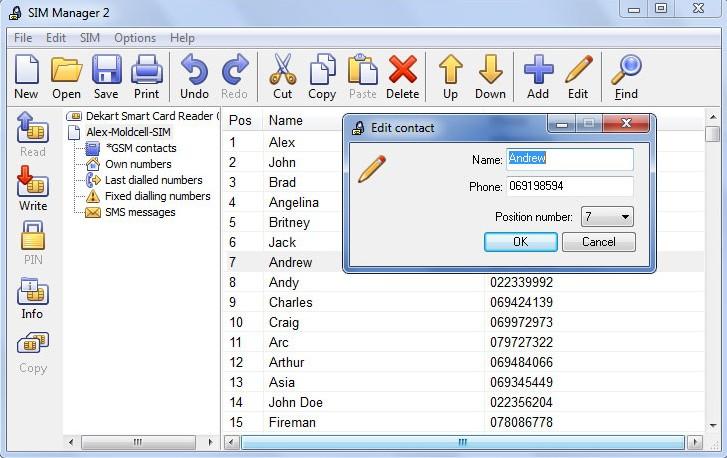
If you unfortunately lost contacts, or text messages on your SIM card, you can use a program named SIM Manager to retrieve deleted data such as SMS, contacts from Sim card(For data on SD card, skip to option 1). See below is a screenshot of this SIM card recovery software.
Other SIM Errors and Solutions
To get started, you'd better use a data backup tool for a backup firstly since any operation may cause data loss.
1. Sim card is blocked without having PUK number
Sometimes you may have Sim card blocked problem and don't have PUK number (the key to unblocking your SIM). If this happens, you can contact the Customer Care service of your cell phone company, give them your phone number. Once they are sure it is really you, they will give you the PUK code. With it, you can set a new PIN code. Keep it in a safe place.
2. If Sim card registration failed
3. If Sim card rejected
If your phone showed up "Sim card rejected", please try following steps:
Get Android Data Recovery Pro Now
Related Articles
- Resolutions for SD Card Error, SD Card Format
- How to Recover Pictures and Videos from SDHC Card?
- How to Recover Photos, Videos and Songs from SD Card?
comments powered by Disqus
Recommend Product
 |
Card Data Recovery User Reviews ( 12 ) $29.95 |
Best Card Data Recovery Solution -- Recover deleted or missing pictures, videos, music, Word documents, PDF files, etc.
Hot Articles
Social Connection
 Follow us on facebook
 Follow us on Twitter
 Feel free to